Context:
The aircraft maintenance platform has been designed to keep track of all aircrafts under one or multiple owners. The platform is supposed to display repair tasks that need to be performed on each aircraft, expected and unexpected. The tasks will be organised under work orders, present info on what needs to be performed, repair history, parts, and tools required.
The client requested this project as a replacement of an already existing one, aiming to improve and add functionality, as well as unify all assignments needed in the process such as part inventory, financing, orders, etc.
I was the designer on the team, leading the design process, from requirement definition and functionality outline to designing the UX/UI and graphics to development handover and design review.
The project is still running and functionality is still being developed and improved with stakeholder regular workshops.
Problem statement – overall scope of the platform
Create a web platform that provides a complete overview of all tasks needed to operate and maintain a fleet. The platform should accommodate the following areas:
- fleet and aircraft health and details
- repair and maintenance tasks
- part inventory and history
- tool inventory and usage tracking
- finances
- user access management
The platform is to be used by different types of employees, managing different asset of a fleet. Allow the users to view relevant information for their goals.
Research, conceptualising and discovery
The project started with a one-week-workshop, in which my role focused on leading the design areas of it, which was 50% of the whole week. In this time I was tasked to:
- guide the stakeholders and define requirements and functionality
- create a light prototype to show and get feedback on at the end of the workshop
Towards this end – together with the stakeholders – I have:
- outlined user types and defined their goals and struggles
- investigated the user’s process while executing the tasks currently, so that I can create a meaningful user journey which would accommodate their workflow. It was important to interconnect aspects of the application in order to make their process more fluid.
- defined high level functionality by asking the stakeholder to phase the requirements in a user story format. “As a user I want to…; so that I can…”. In this way, I aimed to ensure the efficiency and order of the product, trying to not clutter it with unnecessary function that are legacy from flawed processes.
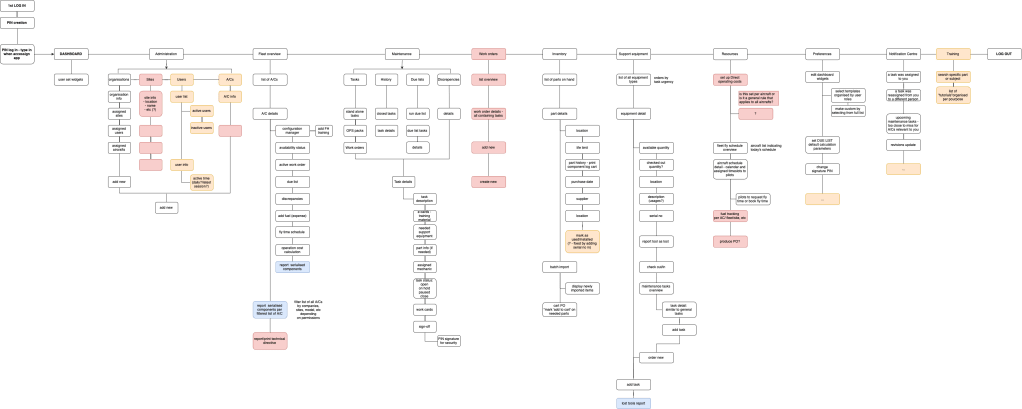
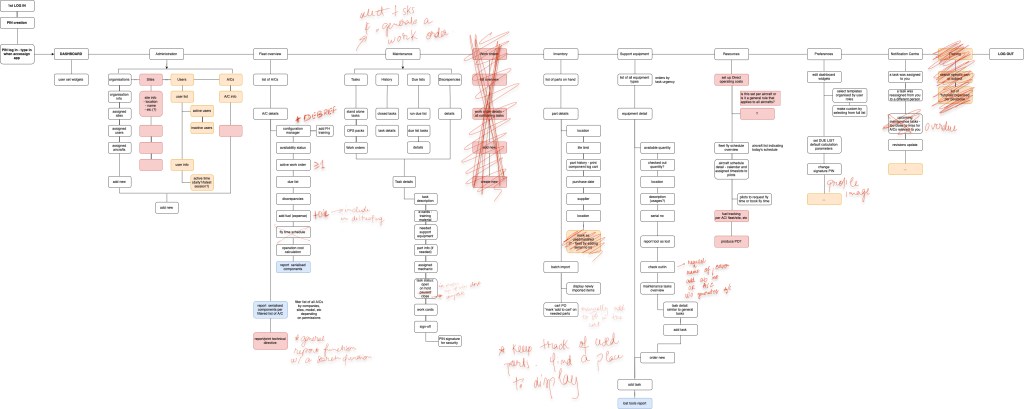
- created a site high level site map to support both our team and the stakeholders in getting a clear overview of the content and sections of the platform. this proved very useful in our discussions as we could use it as a “north star” to always bring us back on track.
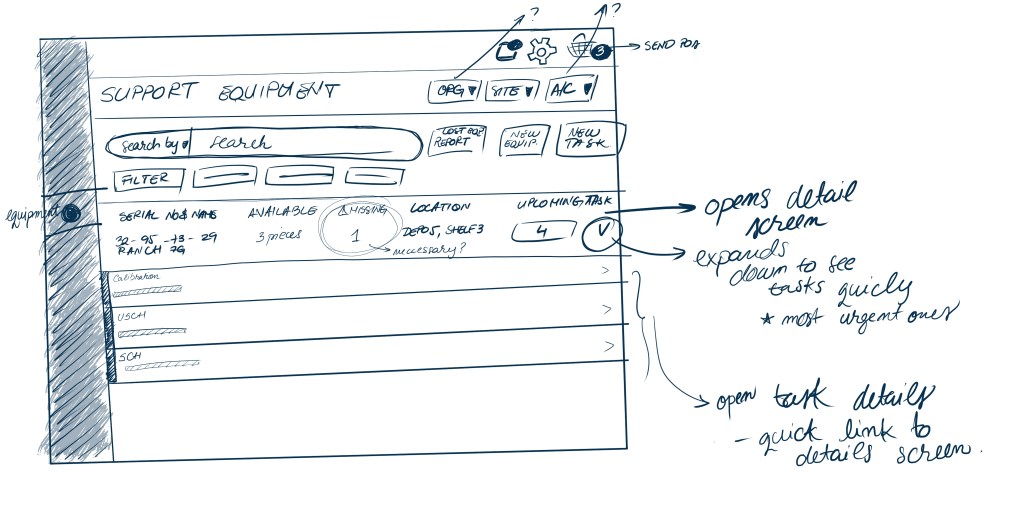
- created light wireframes to give an idea of the layout and potential interaction. Together with the sitemap, they provided a strong base for confirming assumptions, approving and expanding ideas, and giving a visual support to the discussion.
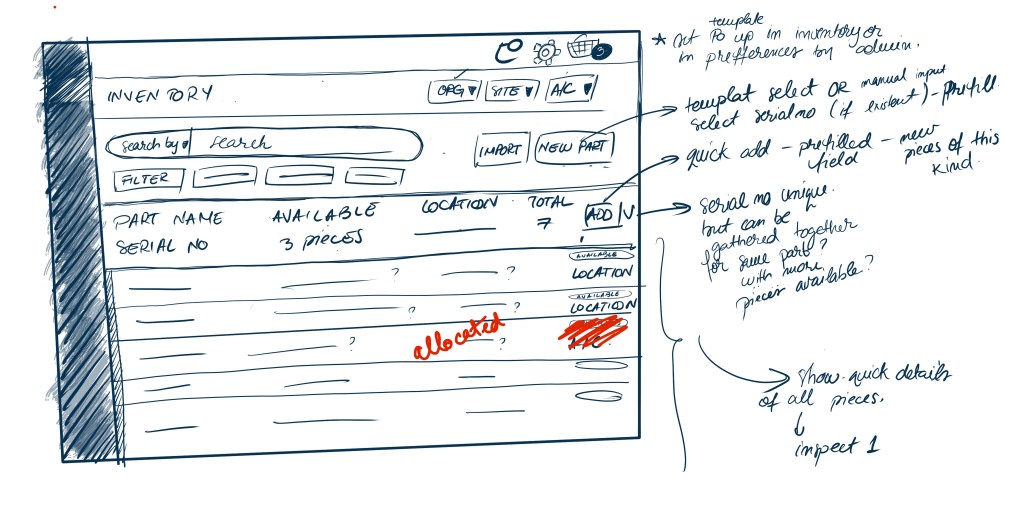
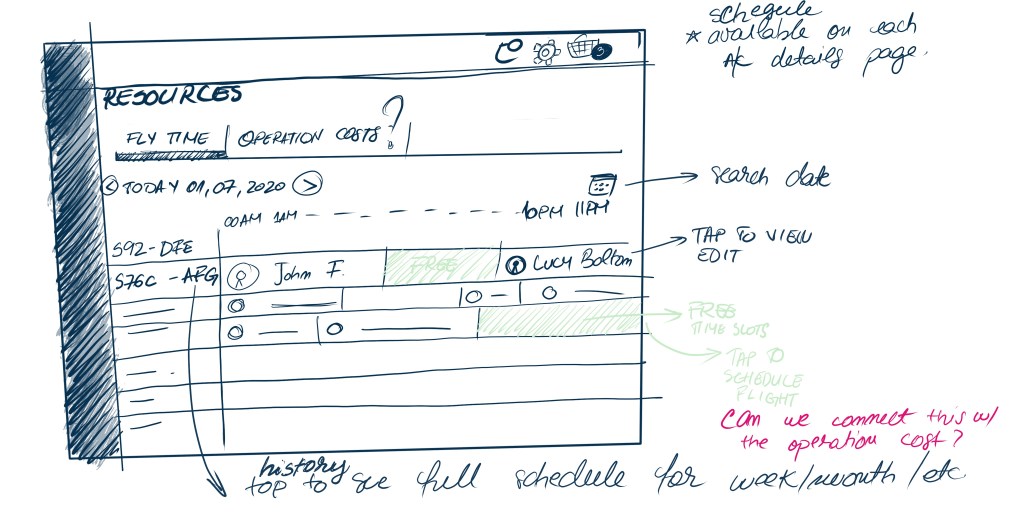
- conducted qualitative interviews: the stakeholders were experienced mechanics and pilots, therefore they could provide extensive insight into the user journey. I used the workshop as a informal interview site, where I could ask questions while defining functionality and interfaces and get their direct feedback
After the workshop, I had a clear idea of the main functionality. I designed the UX and UI for the platform, following up with the stakeholders every week and improving section by section, going deeper into the details.
half way through the prototyping phase, development had to start, so I had to juggle designing new functions and hardening existing ones. Feedback from the stakeholder was always requested before pushing to implementation.
The design
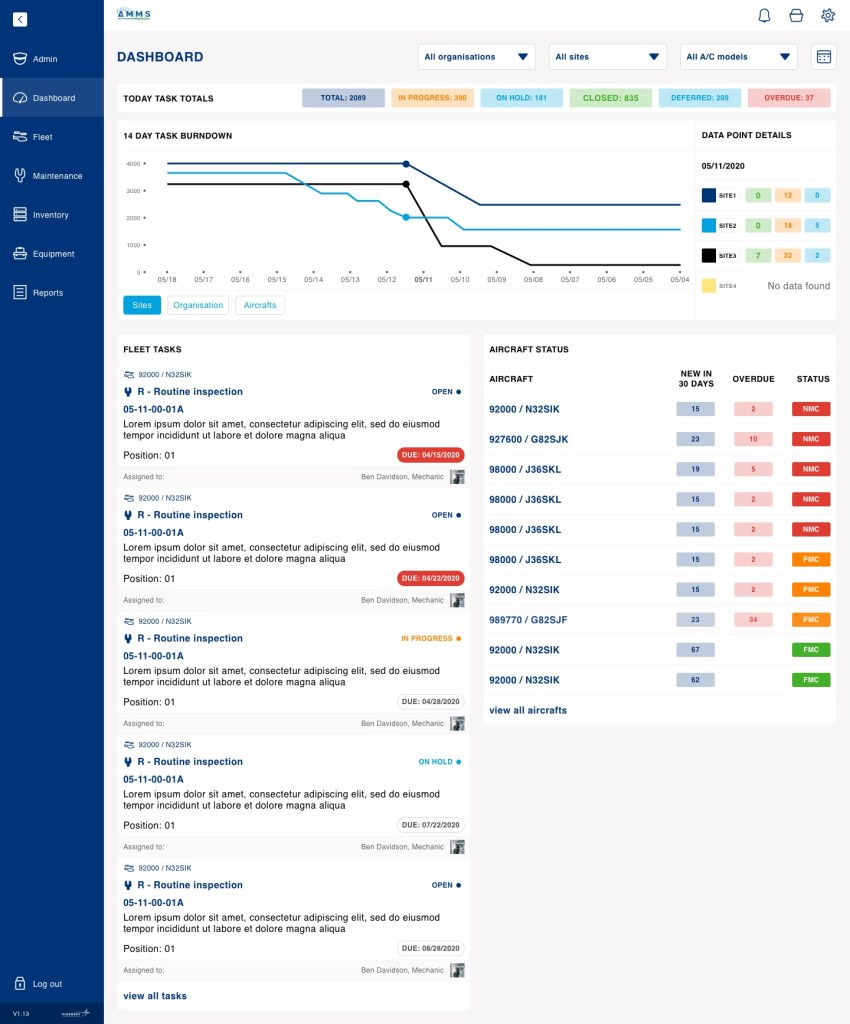
Dashboard – highlight progress, tasks at hand and status
The dashboard focuses on providing a progress overview, in the form of a burn-down chart.
It highlights the most pressing tasks and also provides a health status of the aircraft, orders by urgency.
The final phase envisioned in the prototyping phase is to have a dashboard providing only the revenant widgets for the type of user viewing it.
The design
Maintenance tasks – list and details
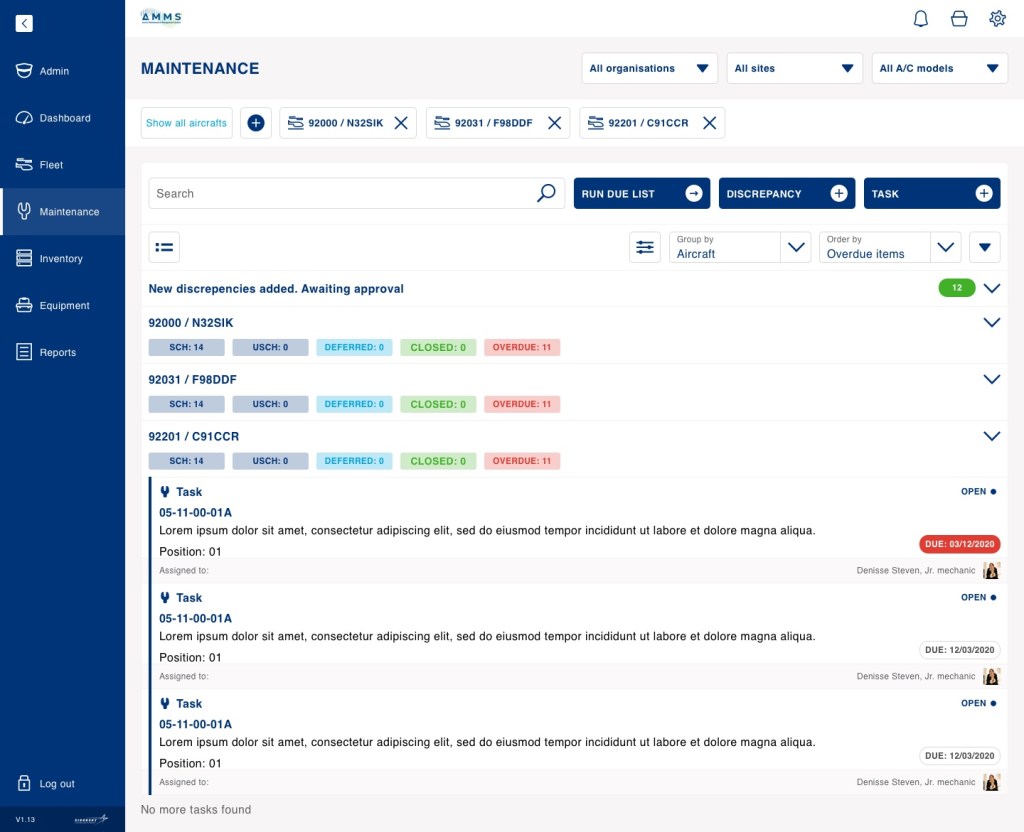
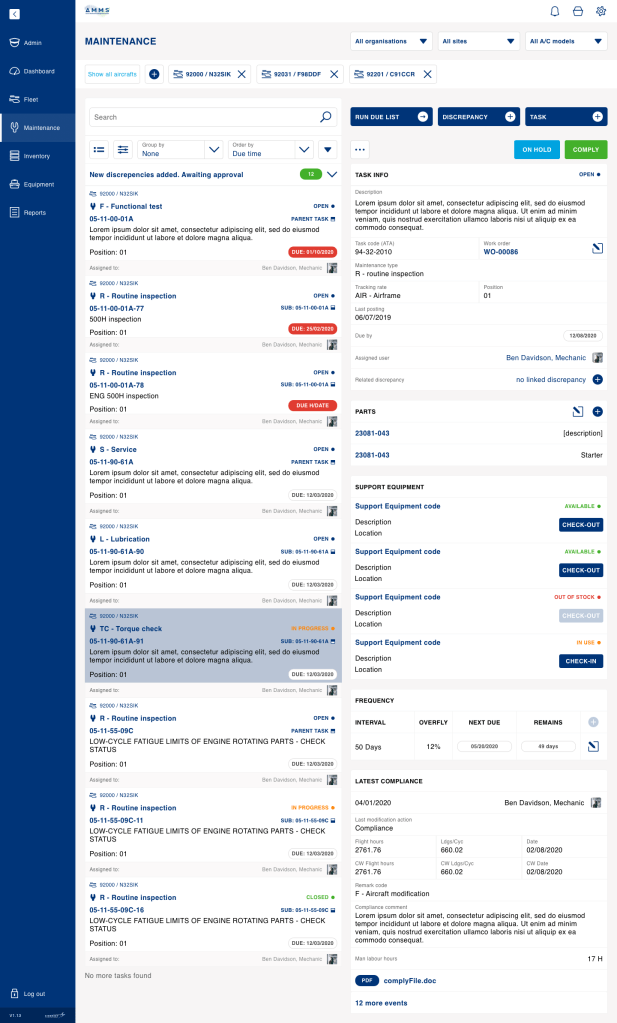
Maintenance lists are very long and complex for this product, therefore I designed a grouping system that would help the user find and explore the tasks at hand. The options are versatile, based on static parameters and allow for flexibility in the function, as each person can operate in different ways.
Eg:
- grouping by aircraft: allows the user to organise their day on the filed, create a plan for themselves to work from aircraft to aircraft
- grouping by status: the user can chose to finish tasks that are already in progress so they can have a structured and satisfying end-of-the-day


 Dirlau portfolio